The desktop client for your S3-compatible storage.
Connect AWS, MinIO, Cloudflare R2, Backblaze B2, Wasabi and many more. Browse, upload, share and protect your objects from a single app.
Version 1.0.1 · Windows and Linux
Works with
- AWS S3
- MinIO
- Cloudflare R2
- Backblaze B2
- Wasabi
- Scaleway
- OVHcloud
- DigitalOcean Spaces
- Ceph
- Garage
- Hetzner
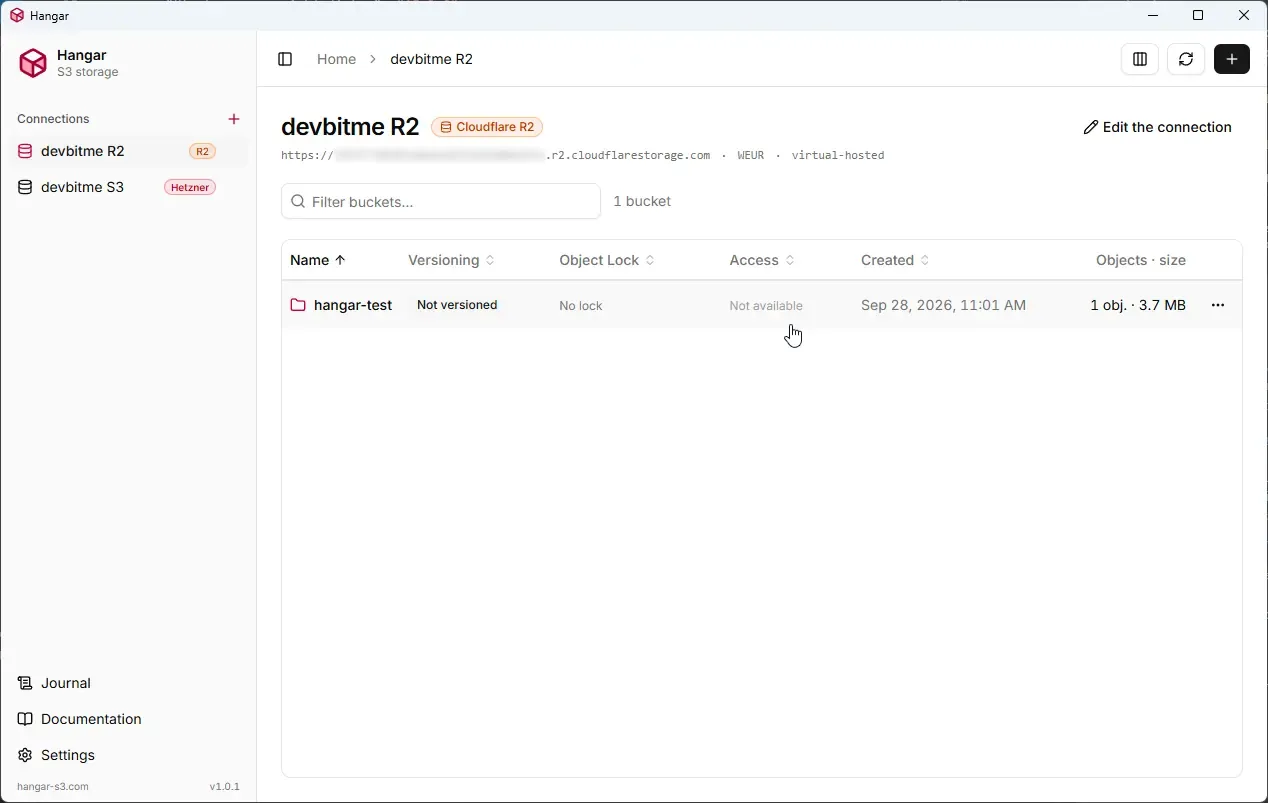
Everything you need for your buckets
Hangar covers everyday object storage work, with safeguards wherever a mistake would be costly.
Every S3-compatible provider
Add as many connections as you need. Hangar recognizes the provider from the endpoint and lets you test the connection.
Keys in the system keychain
Credentials live in the keychain of the operating system, protected by your session. No master password, nothing in clear text on disk or in the logs.
Buckets and versioning
Create buckets with or without versioning, enable or suspend it later, and browse every version and delete marker.
Object Lock (WORM)
Default retention in governance or compliance mode, retention and legal hold per version. Compliance rules are checked before anything reaches the server.
Public access under control
See at a glance whether a bucket is private or public, make it public read-only or private again, and keep the rest of its policy untouched.
Fast browsing
Folders, filter and pagination, image thumbnails with a larger preview on hover, folder and bucket sizes on demand.
Uploads and downloads
Drag and drop files and folders, multipart for large files, rename, overwrite or skip on name collisions, and a transfers panel with speed, time left and retry.
Protected deletion
An analysis before deleting, confirmation by typing the exact name, progress and cancellation. Every rule is enforced by the Rust core.
Share links
A temporary link to an object or one of its versions, valid from 15 minutes to 7 days, copied straight to the clipboard.
Journal and audit
Every sensitive operation is recorded in the Audit tab, next to the logs of the core and of the interface.
Encrypted settings backup
Export your connections and preferences to restore them on another computer. Credentials are only included on demand, encrypted with a password.
At home on your desktop
Six languages, a light and dark theme that follows the system, keyboard shortcuts, a tray icon and an optional start at login.
Download Hangar
Version 1.0.1, released on October 4, 2026.
Windows
For your systemWindows 10 and 11, 64-bit
Linux
For your systemx86_64, glibc 2.35 or newer
The installers are signed. Hangar then checks for new versions and updates itself in one click.
Frequently asked questions
What is Hangar?
Hangar is a desktop app for Windows and Linux to manage Amazon S3 and S3-compatible object storage from a graphical interface. Browse your buckets, upload and download files and folders, share temporary links, and manage versioning, Object Lock and public access, without the command line or the web consoles of the providers.
Which storage providers does Hangar work with?
Any service with an S3-compatible API: AWS S3, Cloudflare R2, MinIO, Backblaze B2, Wasabi, Scaleway, OVHcloud, DigitalOcean Spaces, Hetzner, and self-hosted servers such as Ceph or Garage. Hangar recognizes the provider from the endpoint, and you can add as many connections as you need.
Is Hangar free?
Yes. Hangar is free to download and use, and there is no account to create. Its source code is published on Forgejo.
Which operating systems does Hangar run on?
Windows 10 and 11 (64-bit), with an installer, and Linux x86_64 with glibc 2.35 or newer, as an AppImage, a .deb package (Debian, Ubuntu) or an .rpm package (Fedora, openSUSE). There is no macOS version at the moment.
Where are my access keys stored?
In the keychain of your operating system (Windows Credential Manager, or the Secret Service on Linux, such as GNOME Keyring or KWallet), protected by your user session. They never appear in clear text on disk or in the logs. Hangar connects directly to your storage: your keys and files do not go through any other server.
Does Hangar support versioning and Object Lock?
Yes. Enable or suspend versioning on a bucket, browse every version and delete marker, and download or share a specific version. With Object Lock (WORM), set the default retention of a bucket in governance or compliance mode, and the retention and legal hold of each version.